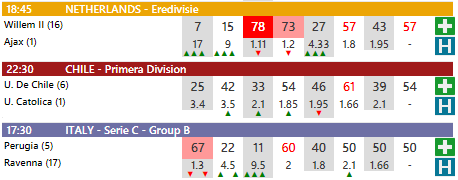
On the homepage, the system displays the indicators generated for each match. To help users read and navigate the data more efficiently, Betting Experience provides an options panel that allows events to be filtered, sorted and selected.
In this section, we explain how to use the options panel to reduce “noise” and focus on a subset of matches, based on probability thresholds, sorting criteria and league categories.
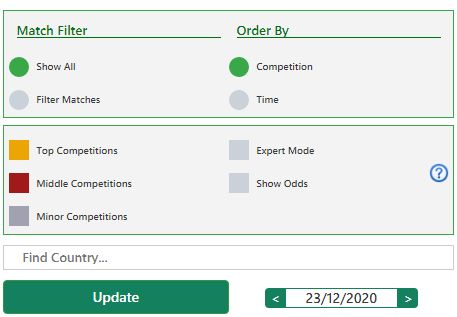
Match filters
The options panel allows users to apply filters based on probability thresholds, which can be adjusted using the sliders at the top. When the Filter Matches option is enabled, the homepage will display only the events that meet the selected threshold.
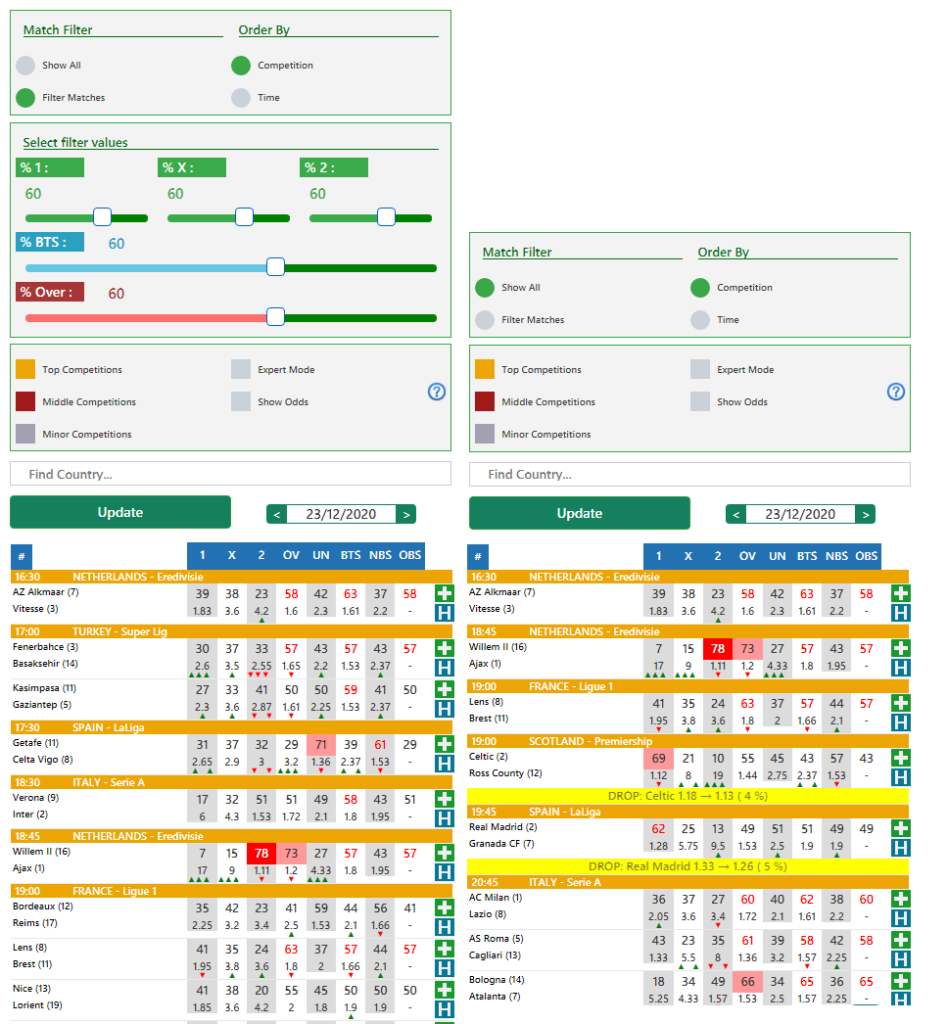
In the example shown, the Filter Matches option is active and the threshold is set to 60%. The matches displayed have at least one of the main values equal to or higher than 60%.
By moving the sliders, thresholds can be increased or decreased according to personal preferences and the desired level of selection.
Match Sorting
Betting Experience assigns an importance level to each league, so that major competitions (such as Serie A or the Premier League) are normally shown more prominently in the list.
Alternatively, matches can be sorted by kickoff time, displaying first the events that are about to start. This can be useful when quickly checking upcoming matches.
League selection
Betting Experience analyzes data from a very large number of leagues (over 500), which are ranked by importance. Depending on how you prefer to explore the data, you can choose to display all leagues or focus on a specific subset, such as elite, mid-tier or minor leagues.
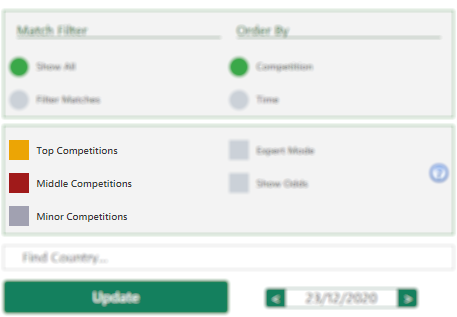
League categories are also identified visually: elite leagues are shown in gold, mid-tier leagues in red, and minor leagues in purple.